
+- Bimmer Scene - Latest BMW Coding / Retrofits / Maps (https://www.bimmerscene.com)
+-- Forum: Bimmer Scene Coding & Navigation (https://www.bimmerscene.com/forumdisplay.php?fid=1)
+--- Forum: BMW F / G Series Coding & Retrofits & Diagnostics (https://www.bimmerscene.com/forumdisplay.php?fid=3)
+--- Thread: 6.5 screen to 8.8 Question (/showthread.php?tid=141)
Pages:
1
2
RE: 6.5 screen to 8.8 Question - MAK.Coding - 04-27-2020
(04-27-2020, 09:59 AM)XuLeTZ Wrote:(04-27-2020, 09:19 AM)gpdrama Wrote: I know, but when you return from the android menu to the oem, if you code 10.25 resolution everything looks better.Actually it makes no sense at all as you coding the HU (Head Unit) to display the resolution, and the Android screen is not taking that data from HU.
If the car had 6.5 and you install android, coding for 10.25 is ideal solution.
And as far as I know, you can't code an 8.8 display to 10.25 resolution. But I never tried

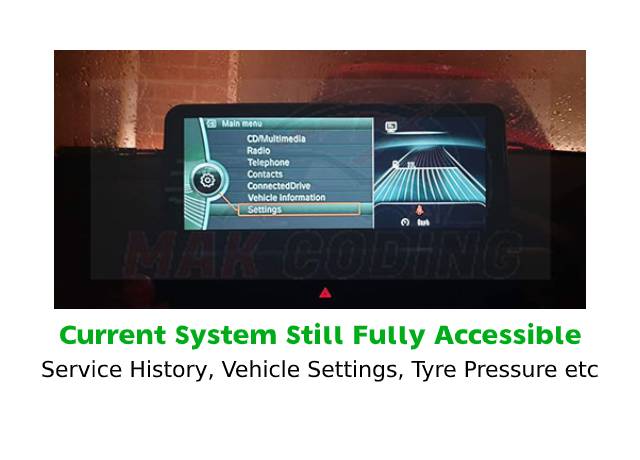
If you have the 6.5" screen in your car - The android system will display your BMW system like the pic below. A lot of people don't like the right side split screen. You can get rid of it by changing Android settings of original display to 8.8" but that stretches/distorts the BMW side.
Once you code the HU to 8.8", it will get rid of the stretch and alos add BMW split screen option
RE: 6.5 screen to 8.8 Question - barzotto - 04-28-2020
i have an android 10,25 screen. you have to code original hu with
HU_NBT > 3000 HMI > DISPLAY_SIZE_RESOLUTION = 8.8_1280x480
HU_NBT > 3001 EXBOX > DISPLAY_VARIANTE = breites_display
8,8 or 10,25 resolution. at the same time you unlock the possibility to choose if you want fullscreen or real split screen (you can choose what to see in the right side!)
RE: 6.5 screen to 8.8 Question - gpdrama - 04-30-2020
That's what I was talking about.
RE: 6.5 screen to 8.8 Question - cfeagle1989 - 05-01-2020
(04-27-2020, 09:19 AM)gpdrama Wrote: I know, but when you return from the android menu to the oem, if you code 10.25 resolution everything looks better.
If the car had 6.5 and you install android, coding for 10.25 is ideal solution.
not possible, Android unit is a 3rd party aftermarket and doesn’t communicate with anything oem. I would personally stay away from those.
RE: 6.5 screen to 8.8 Question - gpdrama - 05-02-2020
It communicateswith the car and can view more information than oem.
With one button you can switch between interfaces easy.
RE: 6.5 screen to 8.8 Question - KillerBeePT - 05-03-2020
(04-27-2020, 03:51 AM)gpdrama Wrote: At entrynav systems and android units with 10.25 inch screen, what resolution have to code? 8.8 or 10.25 ?
Normally you don't need to code anything for the Android unit to work with the car. But if you still want to change it so that it show the BMW interface full screen on your Android unit, you have to do the following:
- 1st part - Android unit config
- On Android interface, go to the Settings and search for "Factory Settings" or similar
- Use code 1314 to open the Factory Settings (if this code doesn't work, check with you seller the correct one)
- In "CAN type" or "Car type" chose the option that most suits your needs
- Change the system to the BMW OEM interface and check if everything is ok. If not, do everything again until you are happy with this part
- 2nd part - BMW HU config - only works with HU_ENTRYNAV system (check attached pic)
- Connect your computer to the car and and code the following: (search for How-to on coding Fxx series on the forum if needed)
- HU_NBT > 3000 HMI > DISPLAY_SIZE_RESOLUTION = 8.8_1280x480
- HU_NBT > 3001 EXBOX > DISPLAY_VARIANTE = breites_display
RE: 6.5 screen to 8.8 Question - pit_krk - 05-09-2020
Entrynav with android units after coding

RE: 6.5 screen to 8.8 Question - Andy150598 - 06-10-2020
Thanks guys, thats really useful!
Andy
RE: 6.5 screen to 8.8 Question - devalian - 06-17-2020
Sad that my android head unit, after I select 8.8 inch screen the right hand info screen wouldn't disappear